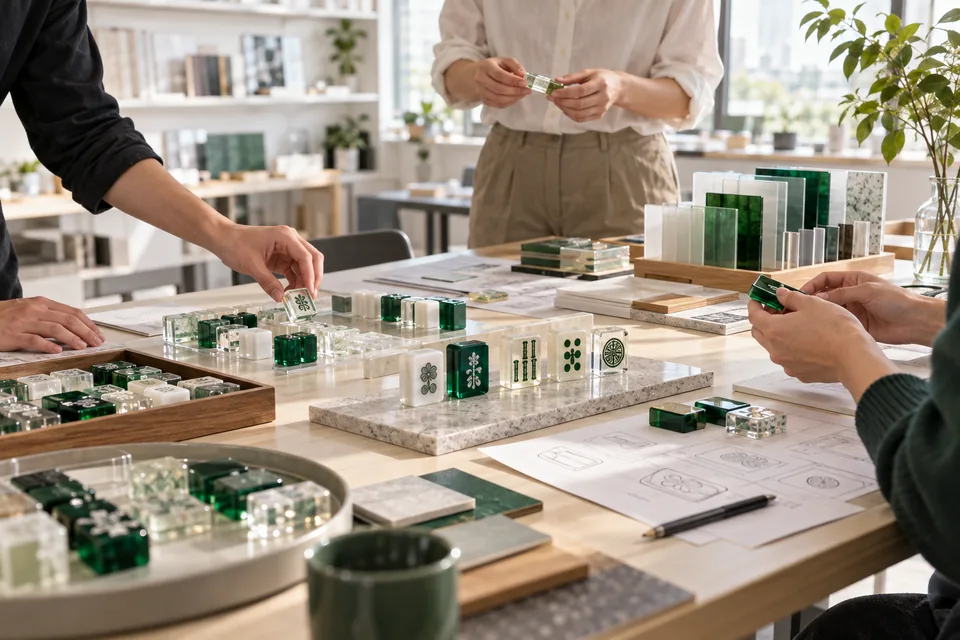
A mahjong artwork process map identifies which parts of each tile are intended for engraving, paint fill or UV printing. Pair a labeled preview with editable artwork and a short process table. This gives the reviewer a specific proposal to assess before sampling, while keeping technical decisions that still need confirmation visible.
This guide addresses the handoff between a brand's designer and the team reviewing the proposed decoration. It does not prescribe machine settings or promise that a particular line, color or effect can be reproduced. For file formats and general preparation, start with the mahjong design file checklist.
Begin with a tile identity and a shared outline
Give each face design an identifier that matches the tile list. Put the revision, intended finished dimensions and face or back orientation on the preview. Where one design appears on several pieces, record its quantity separately rather than duplicating files without clear names.
Use the same tile outline and orientation for every process view. If the engraving layer is shown in one position and the printed illustration in another, the reviewer cannot tell whether the difference is intentional. Keep a combined preview beside the separate views so the proposed relationship between the elements is easy to inspect.
Do not treat the outline as an approved production template unless it has been confirmed for the project. Mark unresolved boundaries or clearances as review items.
Assign a proposed process to each graphic element
Start with the job each element needs to do. A clear number or simple symbol may be proposed for engraving and paint fill, while a detailed illustration or gradient may be proposed for UV printing. A design combining those elements needs an explicit map rather than a single instruction such as “make this engraved.”
Use the map to separate the decisions:
| Artwork element | What to mark in the handoff | Question for the reviewer |
|---|---|---|
| Number or simple symbol | Engraving region and intended fill color | Does the shape need adjustment for the proposed process? |
| Solid-color decorative area | Boundary of each fill region and a named color reference | Are adjacent areas clearly separated? |
| Detailed illustration or gradient | Proposed UV artwork and its position | Which details need a sample check at finished size? |
| Outline or border | Whether it is engraved, printed or deliberately absent | How does it align with the other decorated areas? |
| Back logo | Separate back view with orientation and process proposal | Is the placement consistent across the tile list? |
| Undecorated area | Explicit “leave undecorated” note | Is this exposed material part of the intended design? |
These are planning labels, not a universal production recipe. For the differences to look for on physical examples, use the engraving and UV sample comparison guide.
Separate process labels from final colors
A bright annotation color can help a reviewer locate an area, but it should not be mistaken for the required paint or print color. Add a legend explaining which colors are only markup. Give the actual finish or color reference its own field.
For example, a red highlight could mean “engraving proposed” even when the intended fill is green. Without a legend, a flattened preview could communicate the wrong finish. Pair the highlight with a label such as “engraving area; fill reference Green A” and retain a clean appearance preview without markup.
Keep notes, dimensions and reference outlines separate from artwork intended for decoration. Ask the receiving reviewer to confirm the required file organization. Do not assume that naming a layer “engrave” makes every object inside it ready for production.
Use a layer list that another person can follow
The following names are an illustrative organizational system, not required machine-file names:
- REFERENCE_OUTLINE: proposed tile boundary, dimensions and orientation.
- ENGRAVE_AREAS: shapes proposed for engraving, linked to element IDs.
- FILL_REFERENCES: the intended color for each identified fill region.
- UV_ARTWORK: the detailed printed elements in their proposed positions.
- REVIEW_NOTES: questions and annotations that are not part of the finished design.
Keep the editable file, labeled preview and clean appearance preview on the same revision. An organized master sheet or files grouped by suit can be suitable for review; the important point is that the reviewer can identify every face, process proposal and quantity without guessing.
A flattened image may help communicate the look, but it does not replace the editable elements needed to assess or revise the design. If only a concept image is available, state that clearly and ask what preparation is needed before a production file can be reviewed.
Mark interactions between engraving and printed details
Pay particular attention where two proposed processes meet: a printed flower beside an engraved number, an illustration inside a border, or a logo crossing a layered color boundary. Mark those relationships on the combined preview and identify which part of the design must remain unchanged.
Ask the reviewer to identify any changes needed to line thickness, spacing, detail or alignment. Avoid inserting a fixed engraving depth or universal minimum line width into the brief without project-specific confirmation. The material construction, artwork and proposed finish must be considered together.
If a detail cannot be retained as drawn, request a marked alternative. Keep the original request and the proposed revision distinguishable. The artwork revision feedback checklist explains how to record those decisions without mixing different file versions.
Close the handoff with a review status
Attach a small decision log to the file package. Each open item should identify the affected element, requested review and current status. For an illustrative tile labeled F07, that could look like this:
| Element | Proposed treatment | Current decision |
|---|---|---|
| F07 number | Engraving with green fill | Request review of the narrow inner space |
| F07 flower | UV illustration | Keep the gradient; sample appearance remains open |
| F07 border | Engraved outline | Ask for an alignment review against the flower |
This example is not a completed customer project. Replace its entries with the actual design questions and only mark an item approved after that decision has been made.
A process map can record agreement on the intended layout and division of decoration methods. It does not by itself approve physical color, tactile feel, finish or wear behavior. Identify which of those questions the next sample is intended to resolve, and keep the approved file revision with that sample record.
Send a complete process-review package
Before sending the files, check that the package includes the tile list, revision ID, editable artwork, combined preview, separate process views, color references and open-item log. State whether the request is for an initial feasibility review, a revised artwork check or preparation for sampling.
Use the custom American mahjong set page to organize the wider tile and accessory brief. When you contact MahjCustom, identify the artwork revision and the decisions you want reviewed; the proposed material, decoration and sample scope can then be discussed together.